| Contents |
|---|
| Inventory |
| Creating Items |
| Equipping Items |
¶ Inventory
Players can access both their character's inventory and any shared party inventory from the Inventory tab on the character sheet.

The character inventory has three sections and three buttons. The top left is the equipped Leveled Treasures (1). Directly under the leveled treasures is the section for equipped Trinkets (2) . To the right is the section for all other carried equipment and ingredients the character is holding (3). The buttons sit under the equipment and ingredients section (4).
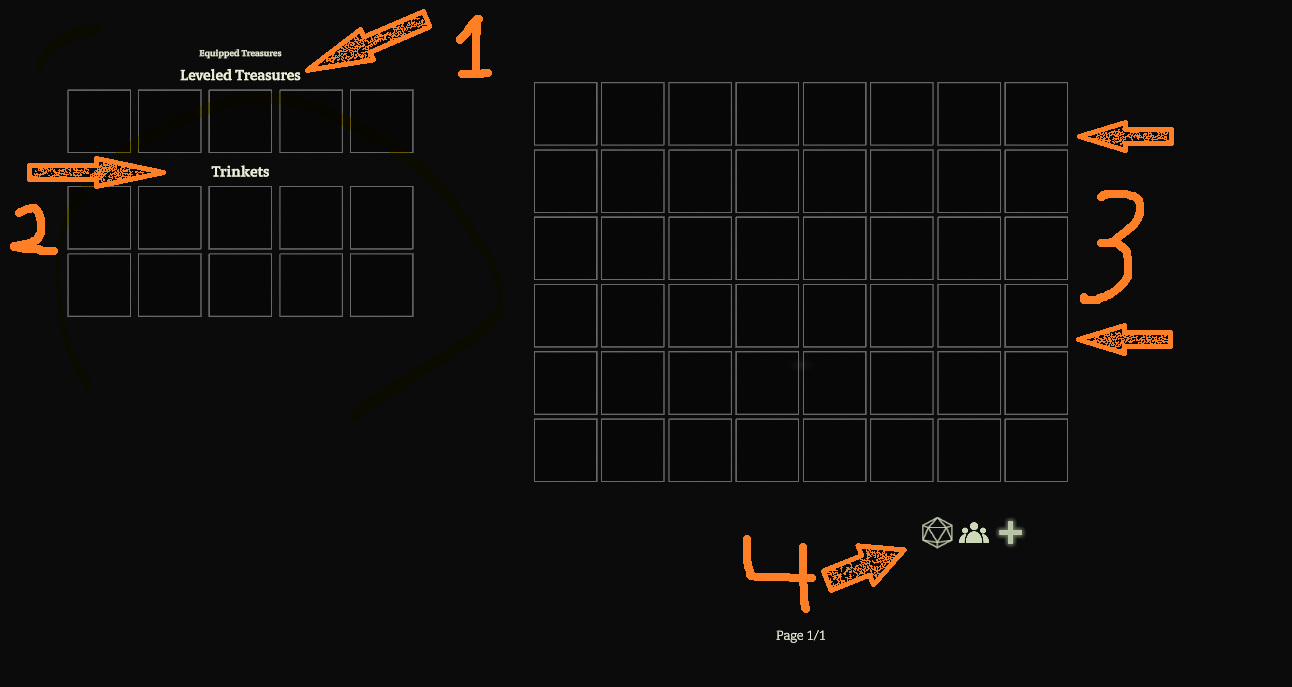
¶ Inventory Buttons:
1. The Generate Inventory From Table button (d20, left) is not fully built.
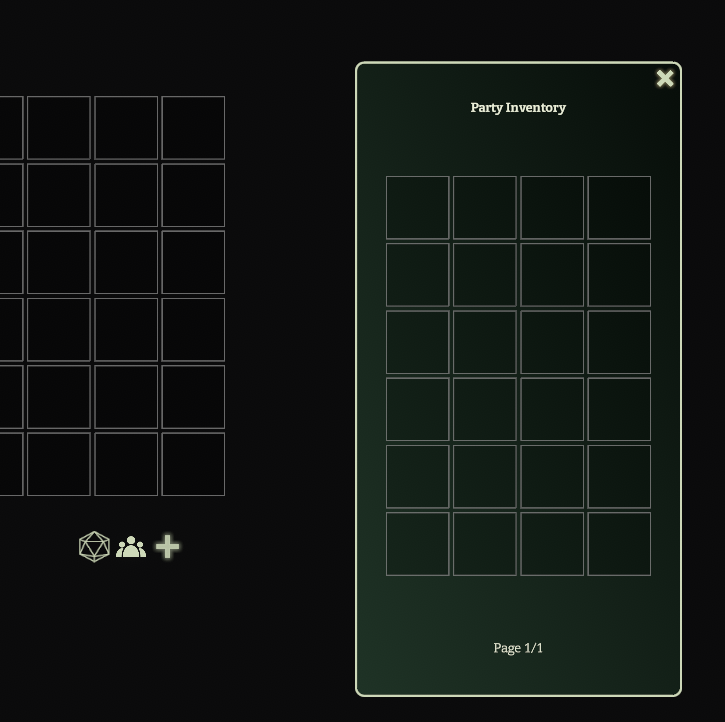
2. The Access Party Inventory button (three silhouettes, middle), opens the Party Inventory modal.
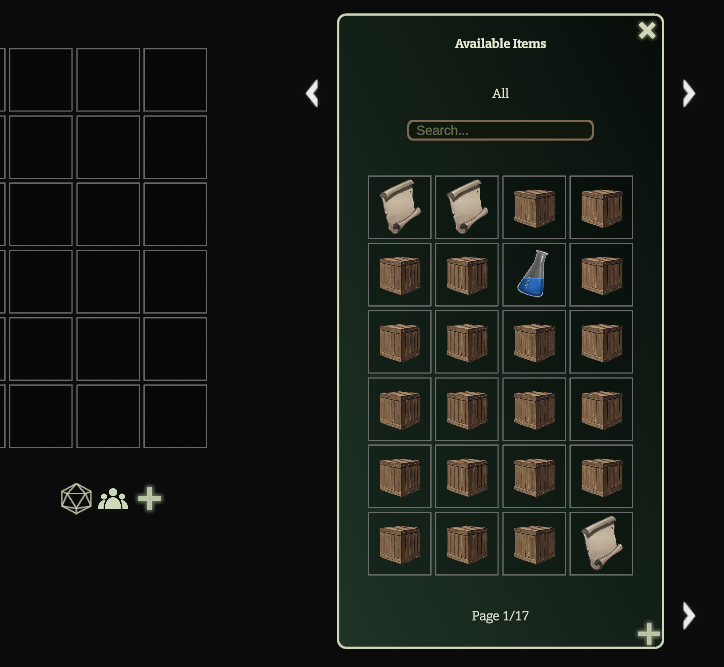
3. The Add Items button (right, plus sign), opens a search modal for the Compendium inventory.
¶ Creating Items
New items can be created either directly in the Compendium or by accessing the editor in the character sheet Add Items modal.
¶ In Compendium
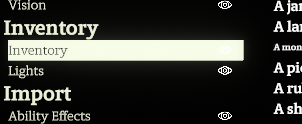
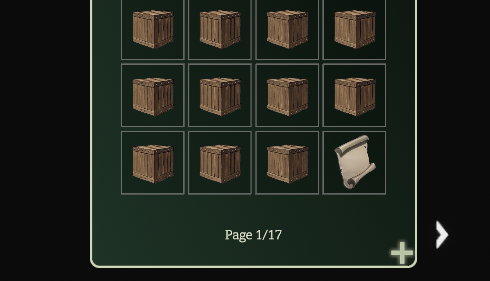
To create an item in the Compendium, go to Codex => Compendium => Inventory and click the Plus button at the bottom of the Inventory list.
¶ In Add Items Modal
To create an item from the Add Items modal go to Character Sheet => Inventory tab => Add Item plus button => Add New Item plus button at bottom of Available Items search modal.
¶ Create New Item Editor
Both options will open the Create New Item editor below.
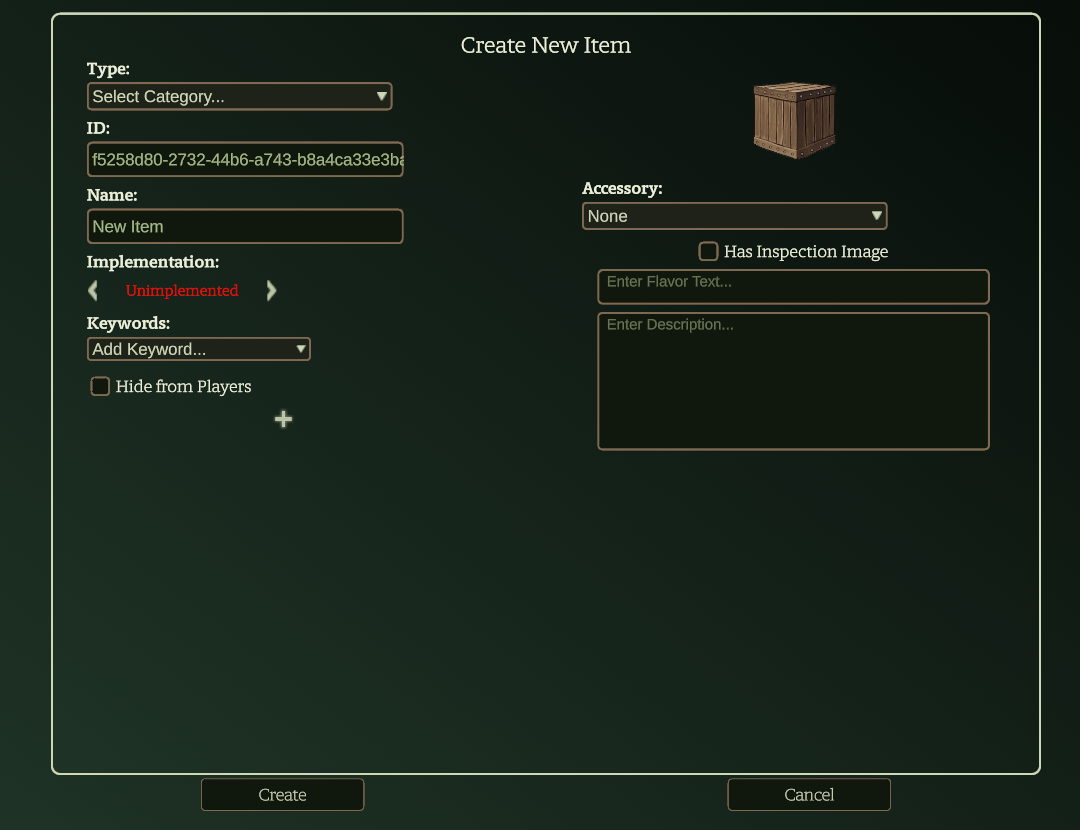
Below will be a series of tables and definitions to describe each of the fields available in the Create New Item editor, starting on the left and working down, then to the right. In addition to these fields, the features that will hold the automation for the item (added via the Plus sign in the Create New Item editor) will be built using the same instructions and methods as character and monster features described in the Feature Editor Reference Guide, Feature Modifiers Reference Guide, and Feature Modifier Behaviors Reference Guide.
Note: Some item Type categories will add additional fields to the editor automatically after the category is selected. These will be interspersed among the general fields in the editor. The additional fields are described below, organized by category.
¶ General Editor Fields
These fields are present in the default editor before a category is selected. In rare cases they are removed in favor of a specific field for the selected item category.
¶ Type
The type field is a drop-down menu of the categories of items that can be created.
| Category | Definition | Notes |
| Artifact | Treasures of legendary power that can change or shape an adventure or even an entire campaign; game-breaking | Paraphrased from Heroes, page 313 |
| Consumable | An item that is consumed when activated and tend to be only usable once. | Paraphrased from Heroes, page 313 |
| Crafting Ingredient | An item that is a necessary component to craft another item; a crafting project prerequisite. | |
| Imbuement | An item that constitutes a specific enhancement effect that can be created and applied to a mundane item | There are not separate mundane items to acquire in order to use an imbuement; right-click an imbuement in the inventory to apply it to a mundane weapon; details on applying and combining imbuements in a single item will be discussed in Equipping Items section below. |
| Leveled Treasure | Weapon, implement, armor, or other item that grants benefits at 1st, 5th, and 9th levels to the wielder. | |
| Light Source | An item that emits light | |
| Projectiles | An item that modifies or adds additional effects to an existing ability when used; a form of consumable that modifies existing character abilities, rather than providing an ability itself when consumed like a Consumable. | There are no projectile items published in the Heroes book. Items such as the Black Ash Dart are consumables that have a self-contained ability not dependent on another character ability. |
| Trinket | Items with persistent supernatural properties that come in a variety of forms | Paraphrased from Heroes, page 313 |
¶ ID
Note: The ID field is a unique identifier for the item inside the Codex. This field is only visible if the Developer Mode setting is toggled on. You can access this setting in Codex => Settings => General.
¶ Name
The name of the item.
¶ Implementation
The general degree of automation implemented for the features of the item. Details on the meaning each implementation level can be found in the Feature Editor Reference Guide in the Implementation table. Treat this as a guideline. It has no impact on the function of the features in the item. Selecting an implementation status is optional when creating items (or any feature) and may not line up with the level of automation actually implemented.
¶ Keywords
The keywords of this item. In addition to ability-related keywords, the list includes equipment type keywords, and keywords for how the item is worn or wielded. Like keywords on abilities, the item's keywords control some of the interaction between the item and other features and abilities in the game.
¶ Hide From Players (Toggle)
This toggle will hide the item from players when they view the full item list. It will only be visible to them if it is in their inventory.
¶ Plus Button
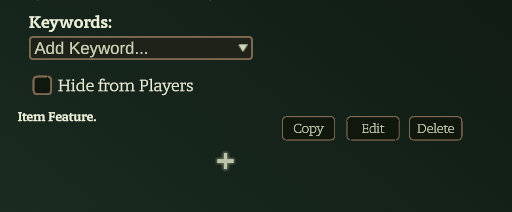
The Plus button (+) adds a new feature to the item to hold a set of modifiers and behaviors to implement the automation of a feature. Each feature will have three buttons.
1. Copy - copies the feature; this allows it to be pasted into another item, monster, character, or object sheet.
2. Edit - opens the feature editor for the item feature. See the Feature Editor Reference Guide, Feature Modifiers Reference Guide, Feature Modifier Behaviors Reference Guide, and Goblinscript V2 Reference Guide for further information on implementing specific feature automation.
3. Delete - removes the related item feature.
¶ Image
The image represents the item in the Add Item search modal and inventory list on the character sheet.
¶ Accessory
¶ Has inspection Image (Toggle)
¶ Flavor Text
Flavor text for the item.
¶ Description
Text description of the item. This text will show up when hovering over an item in the item search modal and when hovering over item in the character inventory.
¶ Artifact
The Artifact type does not automatically add additional fields to the item editor.
¶ Consumable Fields
The Consumable type adds the following additional fields to the item editor:
| Field | Description | Notes |
| Echelon | The echelon of the item; the echelon of play the item typically becomes available; items above the heroes' echelon are outside the encounter-building guidelines in Draw Steel Monsters. | See Heroes, page 314 for further information. |
| Item Prerequisite | Crafting ingredients necessary to construct the item; in the context of the Codex this is a text description field that can name specific items in the Codex inventory list. | See Heroes, page 293 for further information on prerequisites. |
| Project Source | Specific lore detailing how to construct the item; in the context of the Codex this is a text description field for narrative information about a source of lore to construct the item. | |
| Project Roll Characteristic | The characteristic or characteristics that can be used for a project roll toward construction of the item. | |
| Project Goal | The number of project points needed to complete construction of the item. | |
| Charges | The number of uses available before the item is fully consumed. | |
| Consumable Ability | Button to open the Ability Editor to create the ability provided by the consumable item. | This button replaces the Plus button to add new features to the consumable; The consumable contains one ability. |
¶ Crafting Ingredient
The Crafting Ingredient type does not automatically add additional fields to the item editor.
¶ Imbuement Fields
The Imbuement type adds the following additional fields to the item editor:
| Field | Description | Notes |
| Target Item Type | The type of item that will be imbued; options are Armor, Implement, and Weapon; this is the form the item will take when the imbuement is activated and can be equipped (see Equipping Items, below) |
See Heroes, pages 296-302, for detailed information on available imbuements for each item type. |
| Level | The level of the imbuement: 1st, 5th, or 9th; a given imbuement is only effective for a wielder of its level or higher. | Some imbuements at higher levels require a lower level imbuement to already be in place; see Imbue Prerequisite |
| Item Prerequisite | Crafting ingredients necessary to construct the item; in the context of the Codex this is a text description field that can name specific items in the Codex inventory list. | See Heroes, page 293 for further information on prerequisites. |
| Project Source | Specific lore detailing how to construct the item; in the context of the Codex this is a text description field for narrative information about a source of lore to construct the item. | |
| Project Roll Characteristic | The characteristic or characteristics that can be used for a project roll toward construction of the item. | |
| Project Goal | The number of project points needed to complete construction of the item. | |
| Imbue Prerequisite | Another imbuement or a specified item in hand such as a recipe. | For example, applying the Chilling II imbuement to a weapon requires that the weapon already have Chilling I. |
¶ Leveled Treasure Fields
The Leveled Treasure type adds the following additional fields to the item editor:
| Field | Description | Notes |
| Item Prerequisite | Crafting ingredients necessary to construct the item; in the context of the Codex this is a text description field that can name specific items in the Codex inventory list. | See Heroes, page 293 for further information on prerequisites. |
| Project Source | Specific lore detailing how to construct the item; in the context of the Codex this is a text description field for narrative information about a source of lore to construct the item. | |
| Project Roll characteristic | The characteristic or characteristics that can be used for a project roll toward construction of the item. | |
| Project Goal | The number of project points needed to complete construction of the item. | |
| 5th Level [Effect Description] | A text field to hold the description of the effect that becomes available at 5th level. | The Description field above is used to hold the description of the 1st level effect of the treasure; the effect is automated by adding a feature using the Plus button. |
| 9th Level [Effect Description] | A text field to hold the description of the effect that becomes available at 5th level. | The Description field above is used to hold the description of the 1st level effect of the treasure; the effect is automated by adding a feature using the Plus button. |
¶ Light Source Fields
The Light Source type adds the following additional fields to the item editor:
| Field | Description | Notes |
| Availability | Drop-down menu determines which tokens can access the light source: objections are Available , Monsters Only, and Restricted |
|
| Display on Token | Toggle that determines if the light source object will appear on a token when in use | |
| Edit Object button | Opens the object editor to edit the object's properties | This is the same editor that is available in the Objects tab in the Map Editor panel |
¶ Projectiles
The Projectiles type adds the following additional fields to the item editor:
| Field | Description | Notes |
| Destroy Chance | Likelihood a use of the projectile will consume a quantity of the projectile item when used | |
| Modify Attacks [Editor] | Editor to implement automation of feature projectile item provides; this editor is a relabeled version of the Modify Abilities modifier and shares that modifier's fields. More information can be found in the Feature Modifiers Reference Guide. | This editor replaces the Plus button to add behaviors to the projectile item that modifies affected abilities |
| Quantity | The number of uses of the projectile item available | |
| Scale and Rotation (With Map Preview) | The scale and rotation sliders change the image's size and rotation when visible on the map. |
¶ Trinket
The Trinket type adds the following additional fields to the item editor:
| Field | Description | Notes |
| Echelon | The echelon of the item; the echelon of play the item typically becomes available; items above the heroes' echelon are outside the encounter-building guidelines in Draw Steel Monsters. | See Heroes, page 314 for further information. |
| Item Prerequisite | Crafting ingredients necessary to construct the item; in the context of the Codex this is a text description field that can name specific items in the Codex inventory list. | See Heroes, page 293 for further information on prerequisites. |
| Project Source | Specific lore detailing how to construct the item; in the context of the Codex this is a text description field for narrative information about a source of lore to construct the item. | |
| Project Roll characteristic | The characteristic or characteristics that can be used for a project roll toward construction of the item. | |
| Project Goal | The number of project points needed to complete construction of the item. |
¶ Equipping Items
Once an item is in a character's inventory, it can be equipped.
¶ Equipping Leveled Treasures and Trinkets
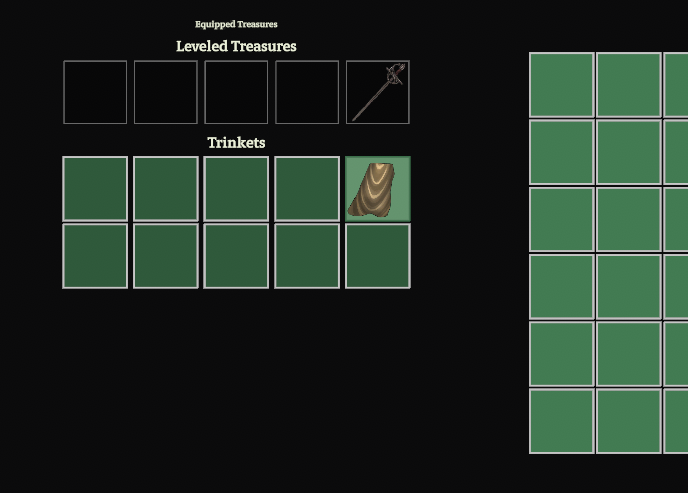
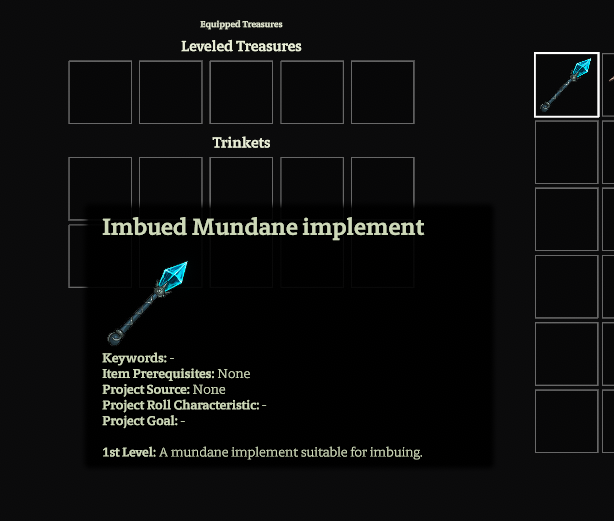
Leveled treasures and trinkets can be equipped by dragging them from the inventory list in the character sheet to the the appropriate box to the left.
¶ Equipping Imbued Items
To use an imbuement and equip an imbued item take the following steps:
1. Right click the imbuement in the character inventory
2. Select Apply Imbuement
3. Select the kind of item to imbue (a mundane item for level 1 imbuements)
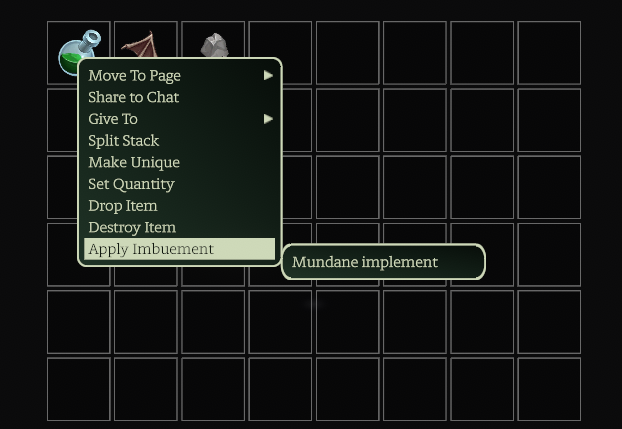
4. Once the item is imbued its appearance will change and it can be dragged to an equipped item slot. It can also be renamed to make it easier to track in the inventory. Imbued items occupy Leveled Treasure equipped item slots.
¶ Adding Imbuements to Existing Imbued Items
Some imbuements can be applied to items that already hold one or two imbuements. To apply a second or third imbuement, follow similar steps as above, except select an existing imbued item in your inventory rather than a mundane item. Only items that can take the imbuement will be available as options. A few things to remember:
1. Some imbuements only apply to armor, implements, or weapons.
2. Imbuements that upgrade an imbuement, such as Displacing II, can only be applied to imbued items that have the prior level(s) of the same imbuement.
3. Imbued items can only have three imbuements.